Reviews
Connect your Google Business Profile or Facebook Page, sync the reviews people have already left you, and choose which ones appear as social proof on your website. Everything is scoped to one website, so your reviews only show where they belong.
What it is
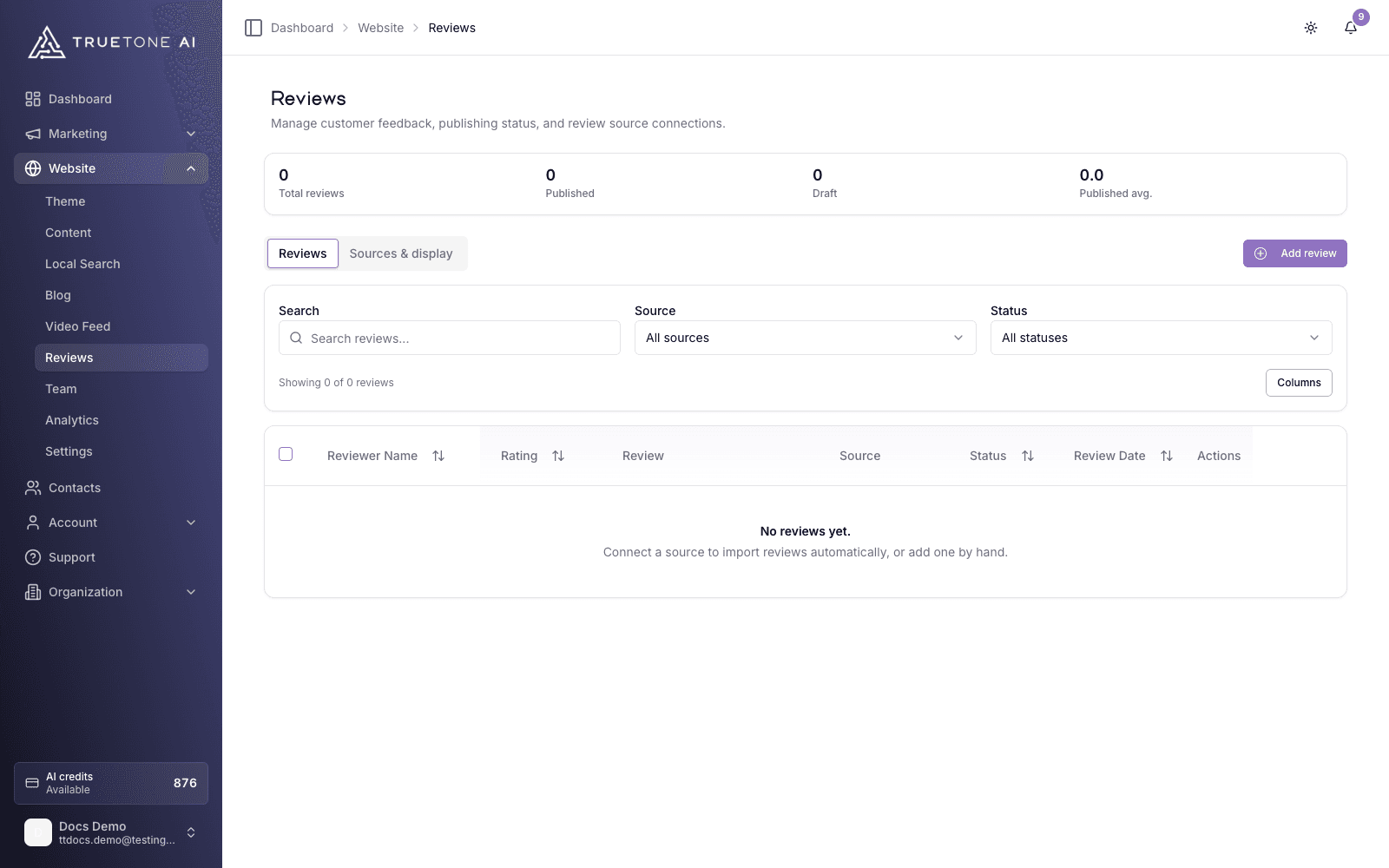
Reviews lives under Website in your dashboard. It pulls the reviews you have earned on Google Business and Facebook into one place, lets you decide which are published, and displays the published ones on your live website. It has two tabs: Reviews (the full list) and Sources & display (your connections and syncing, with the public display controls beneath them). A summary strip at the top shows your total reviews, how many are published, how many are still drafts, and the average rating across your published reviews.
A synced review carries the reviewer name, star rating, text, and a link back to where it was left. You can also add a review by hand when a client sends you kind words outside those platforms.
Each review is tied to a single website. A review synced or added for your site shows only on that site and never leaks onto another site in your organization. There is no draft layer on the public site, so the moment you publish a review it is live. Unpublishing hides it again without deleting it.
Who it is for
Any loan officer with a TrueTone website who has real reviews on Google or Facebook and wants them working as proof on the site instead of buried on a profile page. When a prospect is deciding whether to trust you, published reviews do the convincing for you.
Which sources you can connect
Two review sources are live today:
- Google Business: reviews synced from your connected Google Business Profile.
- Facebook: recommendations synced from your connected Facebook Page.
Both use the same connected account you use to post in Social settings, so choosing a source once covers both posting and review sync.
Each connection is tied to one business. When you connect Google Business you pick the exact business location the reviews come from, and when you connect Facebook you pick the Page. That choice is the same account you post from, so the account you select is the business the reviews represent. More review sources are in the works and will appear here as they become available.
How to connect a source and sync
Open the Sources & display tab
Go to Website, then Reviews, and select Sources & display. You will see a card for Google Business and a card for Facebook.
Connect the account
Choose Connect Google Business or Connect Facebook. Reviews use the same connected account you use to post in Social settings. If the account is not connected yet, you are handed off to sign in; when you come back, you land on the Sources & display tab with the result shown, so you can carry straight on. If the account is already connected, TrueTone links it straight through. Connecting here only syncs reviews, so it does not change anything about posting.
Pick the business or Page
Select the exact Google Business location or Facebook Page the reviews should come from. This is the same selection used for posting, so pick the one that represents you. Reviews will not sync until this is chosen.
Sync
TrueTone imports the reviews from that source. Use Sync Now on a single source, or Sync all to refresh every connected source at once. Turn on Auto-sync to keep a source refreshing on its own. Each source card shows a health badge and when it last synced, so you can see at a glance that it is working.
Syncing also keeps what you show honest. If a review’s rating or text changed at the source, the next sync sets it back to draft so you can re-approve it, and a review that disappears from the source is unpublished automatically. A review that reappears comes back through a normal sync.
Publish what you want to show
Newly synced reviews arrive as drafts so you stay in control. Open the Reviews tab, publish the ones you want live, and mark any as Featured to flag your best. Unpublish anything you would rather hide. If you would rather have new reviews go straight to your site, each source card has an Auto-publish switch you can turn on; as the owner of your website, that choice is yours.
Replying to reviews
Open a review and you can write a public reply that posts back to Google or Facebook through your connected account. Draft with TrueTone writes a suggested reply in your own voice that you can read and edit before it goes out, so responses sound like you and go out fast. The draft is only a suggestion; nothing is sent until you choose to send it. Each draft costs 1 credit; sending your reply costs nothing.
Replying to reviews, including the TrueTone draft, is a paid feature. On a free plan the reply tool prompts you to upgrade. Everything else on this page, including syncing, publishing, and public display, works without it. Replies can be sent to Google Business and Facebook, the two connected sources.
Adding a review by hand
Use Add review on the Reviews tab to enter one manually: reviewer name, an optional email and location, a one to five star rating, the review text, and a date. You can publish it immediately and mark it Featured. Manual reviews behave like synced ones once saved, except you can edit their details freely.
Controlling the public display
The display controls sit on the Sources & display tab, beneath your source connections. They govern how published reviews render on your live website, and all of them are per website:
- Show reviews on website: the master switch. Turning it off hides every review at once without deleting anything.
- Max visible reviews: how many published reviews appear, from 1 to 20 (default 6).
- Aggregate threshold: the minimum number of published reviews before an overall star rating appears, from 1 to 20 (default 3), so you never show an average built on too little.
- Show aggregate rating: whether that overall star rating is shown once the threshold is met.
Good to know
Publishing is instant on the public site, so treat Publish as “make this live now.” Only published reviews ever appear; drafts stay private to you. Auto-publish is set per source connection, and as the owner of your website you can manage it yourself; organization administrators can also manage it across a company’s sites. Leave it off and every synced review waits in drafts for your call.
Disconnecting a source keeps the reviews you already imported and does not affect your posting. If you manage more than one website, remember each site has its own connections, its own list, and its own display settings, so what you publish on one site never appears on another.