Seeds
Seeds are curated topic ideas, so you never start from a blank page. Open one, pick the channels you want, and it becomes finished content written in your TrueTone voice.
What it is
The hardest part of content is not writing. It is deciding what to write about. The blank page is the pain. Seeds solve that by giving you a running list of topics worth talking about, each with a title, a short angle, and enough source material to build on.
A seed is a starting point, not a finished post. You browse the list, find one that fits you, and turn it into a blog, an email, a social post, a video script, or an audiogram. The topic is handed to you. The words come out in your own voice.
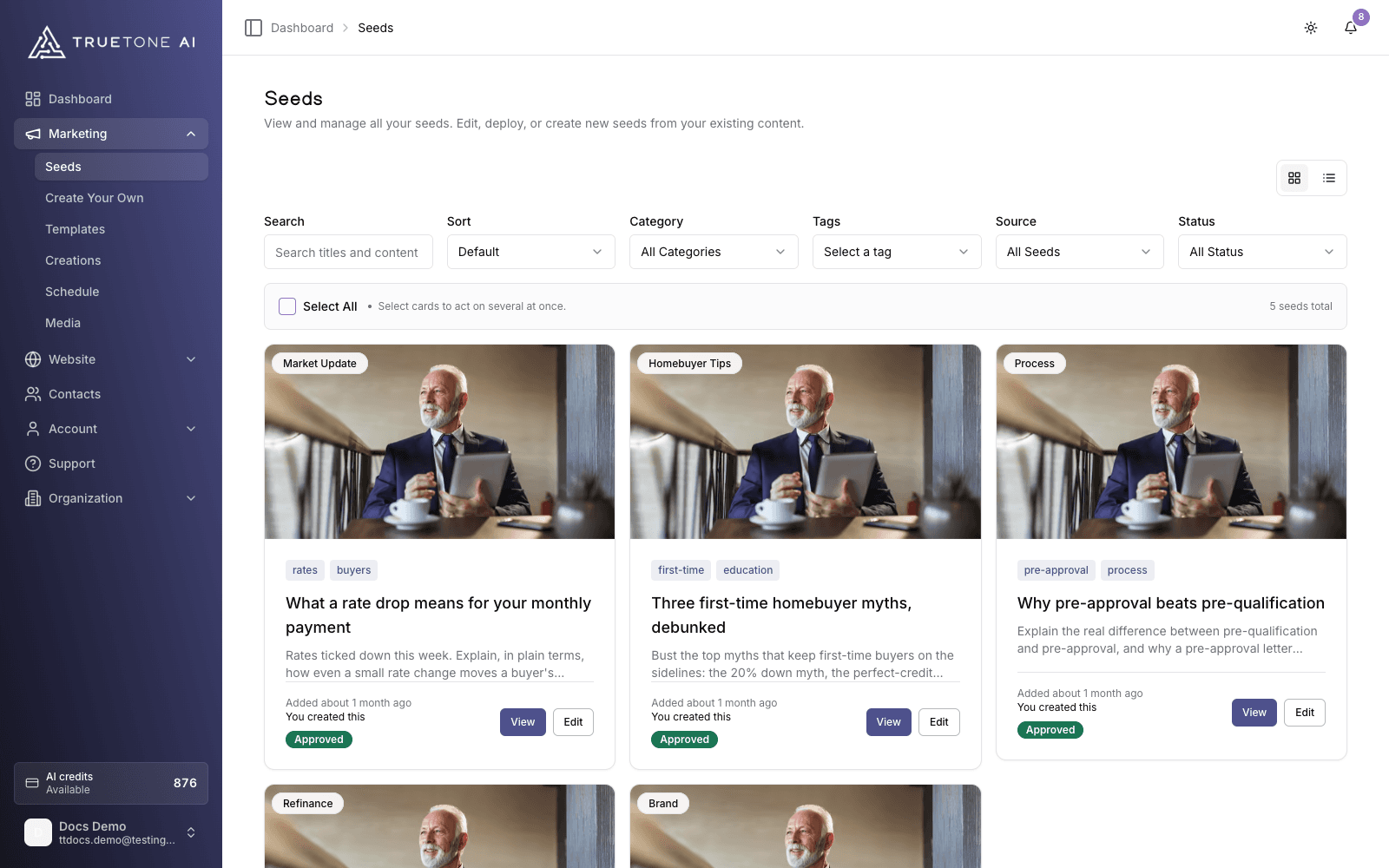
Seeds come from two places. TrueTone curates a library of topics for mortgage professionals, and you can also create your own. To make one, open Create your own: give it a title, then either write the source content yourself, paste in something you already have, or let TrueTone draft it from a short idea. Your new seed is saved under My Seeds and works exactly like a curated one. Everything lives on one Seeds page where you can search, filter, sort, and switch between grid and list views.
Who it is for
Any loan officer who wants a steady supply of things to post about without staring at an empty editor. If you have ever known you should be publishing but had no idea what to say, this is the feature that removes that excuse. Sales and marketing can point to it as the answer to “what do I even write?”
Interest Groups and “For you”
Seeds are organized around Interest Groups, which describe who the resulting content speaks to. The two groups are Client Education (topics for your clients) and Brand Building (topics that grow your name). Inside each group are individual Interests you can follow.
Follow the Interests that match how you want to show up. Your followed Interests appear as chips at the top of the Seeds page. Tap one to narrow the list to that Interest, and tap again to clear it. On the default sort, seeds that match your Interests float to the top under “For you” ordering, so the list is curated to you without ever hiding the rest.
For how to choose your Interests and receive a regular summary of fresh seeds that match them, see Interests and seed digest.
How a seed becomes a creation
Open a seed
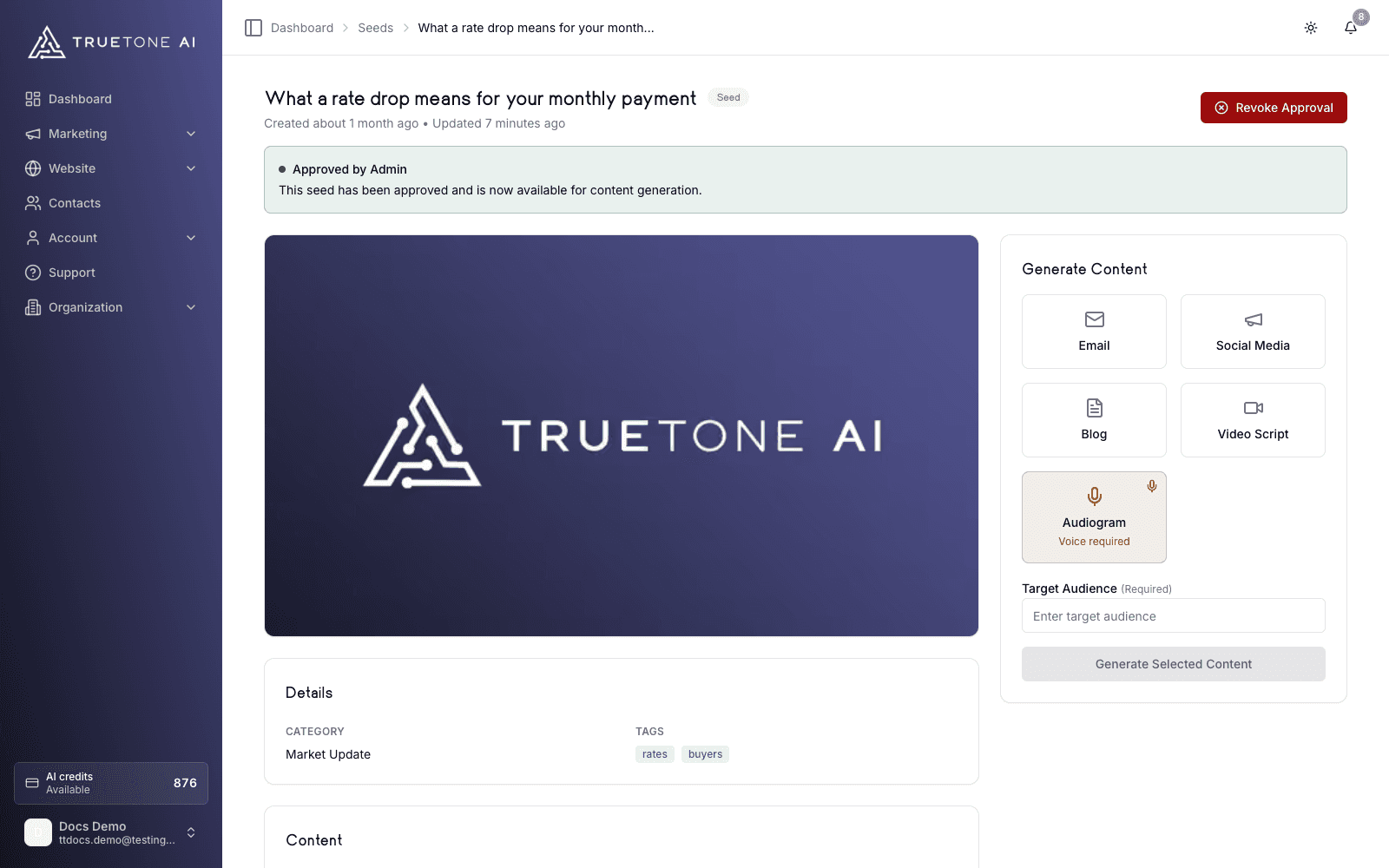
From the Seeds list, click any card to open its detail page. You will see the topic, its category and tags, and the full source content.
Choose your channels
In the Generate Content panel, pick one or more of the five Channels: Email, Social Media, Blog, Video Script, or Audiogram. You can select several at once and generate them together.
Set the details
Enter a target audience (required). For a social post, choose text only, your own image, or a generated image. For an audiogram, choose the hero image and confirm your voice, since audiograms require a recorded voice clone.
Generate
Click Generate. Content streams in live, written in your TrueTone voice, and each finished piece lands in Creations, ready to review, edit, and use.
Sources and filters
The Source filter changes with your plan. Everyone can see the curated TrueTone library and their own seeds. Enterprise seats also see the topics their organization has distributed to them.
Individual
Your Source options are All Seeds, My Seeds (the ones you created), and TrueTone AI (the curated library). Filter further by search, category, tags, and sort order.
Beyond Source, the toolbar gives you a few ways to zero in. Search matches on the seed title, and you can filter by category or by tag. Sort lets you switch between Default, Newest first, Oldest first, and A to Z or Z to A. A toggle in the top corner flips the page between a grid and a list, and longer libraries are paged so you move through them a screen at a time rather than scrolling forever.
You can also work in bulk: select seeds you created to add or remove tags, export them as a data file, or delete them. Bulk selection only applies to your own seeds.
Good to know
Generating content spends AI credits. If your balance is too low for the channels you selected, generation is blocked until you top up. The Generate Content panel shows what a run needs and what is available before you start.
Audiograms need a recorded voice clone. If you have not set one up, the Audiogram option shows a “Voice required” badge and points you to the voice interview first.
- Seeds you created are yours to edit. Open one and you can change its title, content, tags, and image before you generate. The curated TrueTone library is read only, so you build on those topics as they are.
- Bulk Export downloads the selected seeds as a data file. It is a data export, not a way to publish.
- For enterprise seats, a seed you submit can show an Approved, Pending, or Denied status from your organization’s review, and how that status factors into what you publish is set by your organization.
- Seeds give you the topic. The generated content is always written fresh in your voice, so no two loan officers publish identical text from the same seed.