The onboarding flow
The first time you sign in, TrueTone walks you through a short guided setup: your details, your company and brand, an optional social connection, your TrueTone Profile, the topics you want ideas about, and your plan. Progress is saved as you go, so you can step away and pick up right where you left off.
What it is
Onboarding is the guided first run that gets your workspace ready to create. It collects the handful of things TrueTone needs to write in your voice and put your name, brand, and licensing on everything it produces. Most of it is confirming details and making a few choices, not filling in a long form from scratch.
For an individual loan officer, the flow is seven steps that end at a plan and your dashboard. A loan officer who was given a seat by their company sees a shorter version, because the organization has already supplied the parts an admin owns. Both versions build the same foundation: a profile, a brand, and a TrueTone Profile that makes your content sound like you.
Who it is for
- New individual loan officers setting up their own account for the first time.
- Loan officers provisioned a seat by their company, who complete a trimmed version because their license and billing are handled by their organization.
- Sales, marketing, and support teammates who want to describe the first-run experience accurately without walking through it live.
How the setup flows
For an individual account, onboarding moves through these steps in order. The two optional steps can be skipped and finished later from your dashboard.
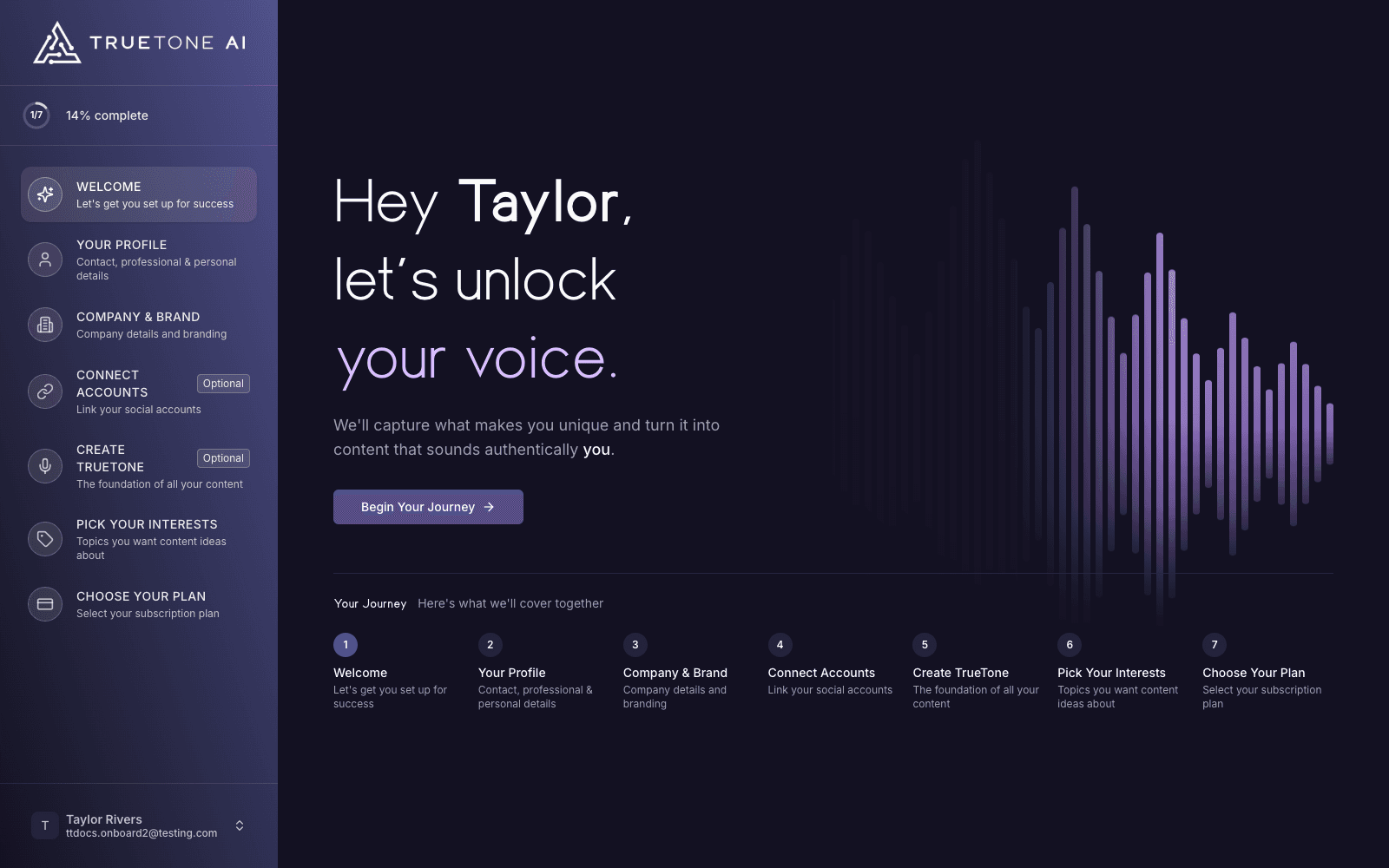
Welcome
A short welcome screen greets you by name and previews what the setup covers. There is nothing to fill in here. When you are ready, you begin.
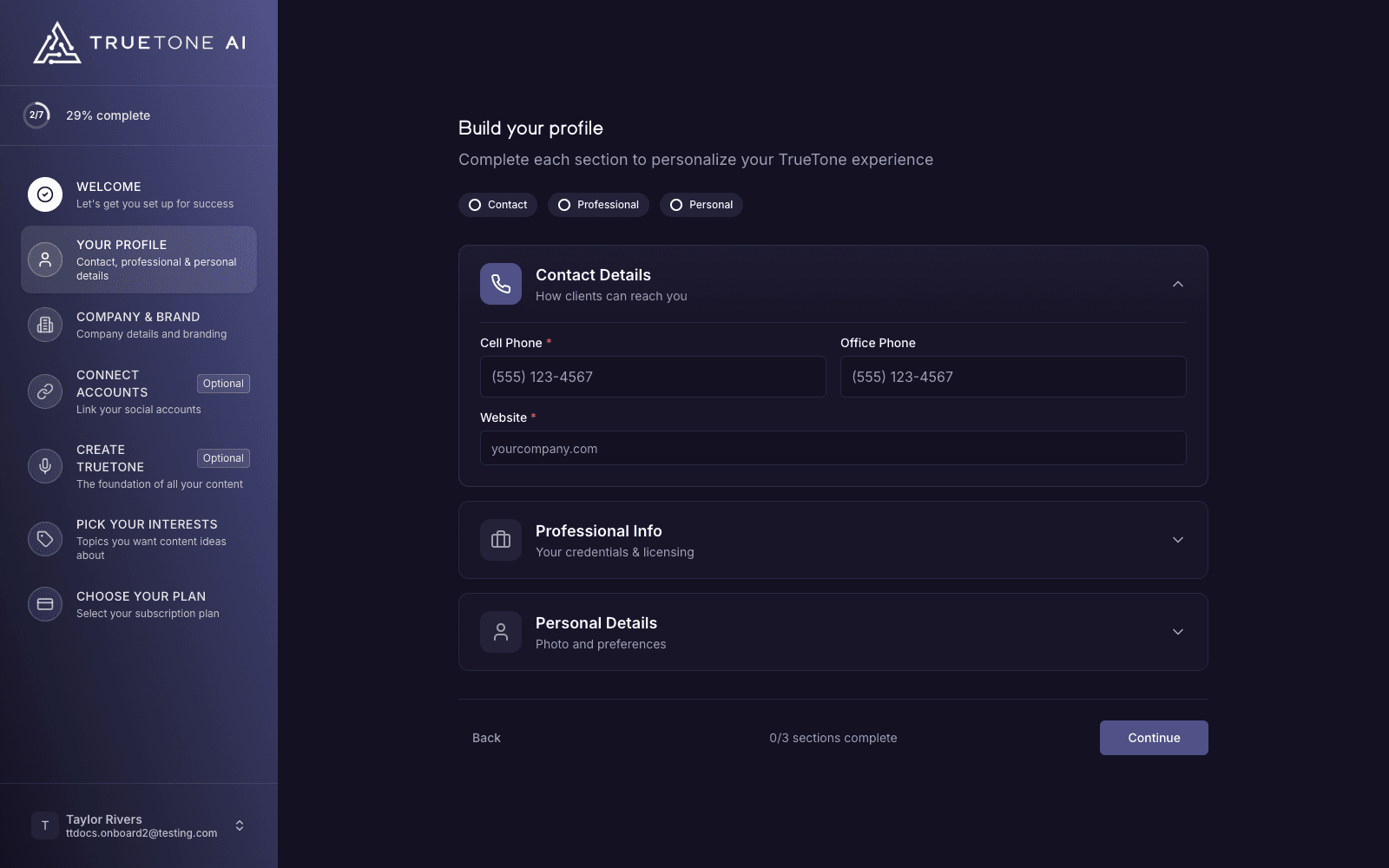
Your profile
You confirm your contact, professional, and personal details: your phone, the website clients find you at, your job title, your industry, your date of birth, your license number and the states you are licensed in, your primary service market, your timezone, and an optional profile photo. If anything is already known about you, it is filled in for you so this reads as a quick confirmation rather than a blank page.
Company and brand
This is where your business identity comes in, and there are three easy ways to do it. You can search for your company by name and pull verified details from a mortgage lender database with no website needed. You can enter your website address and let TrueTone read the page to detect your logo, brand colors, NMLS ID, and licensing details automatically. Or you can upload a logo and set your colors by hand. Whatever you choose fills in your company name, colors, compliance disclaimer, and licensing page.
When your company is found by lookup or by reading its website, TrueTone also suggests brand heading and body fonts detected from that company where a licensed match is available, and it tells you when a close substitute is used in place of an exact one. You can change the fonts, and clearing your company selection resets them.
Before you continue past this step, a checkbox asks you to confirm you are authorized to represent the company brand you have claimed. This attestation is required whenever a company name is set.
Connect accounts (optional)
You can link the social accounts you post from, so TrueTone can publish for you later and study your recent posts to learn how you already sound. Eight networks are offered here: LinkedIn, Facebook, Instagram, X (Twitter), YouTube, TikTok, Threads, and Google Business. This step is entirely optional, and you can connect accounts anytime from your dashboard. See the note below on how the study-my-posts consent works.
Create your TrueTone Profile (optional)
This is the heart of setup: a short interview with Tru, the onboarding interviewer, that captures how you actually communicate. You can talk through a guided conversation, record quick answers, or simply type your responses. Tru turns the session into your TrueTone Profile, the voice and style settings that make every piece of content sound like you instead of generic AI. You can skip it and start with sensible defaults, then build your profile later, but this is the step that pays off most.
Pick your interests
You choose the topics you want content ideas about, grouped into interests like Client Education and Brand Building. These shape your daily seed digest, the curated topic ideas that beat the blank page. It takes about half a minute.
Choose your plan
You pick how you want to pay, monthly or annual, and continue to a secure checkout to start your plan. Both options unlock the same account. After checkout, a confirmation screen shows your plan, status, and payment details, then sends you to your dashboard to create your first content. For what each plan costs and how the free trial works, see Plans and pricing.
If you leave before finishing
Setup is designed to survive an interruption. You do not have to finish in one sitting.
Your progress is saved automatically as you move through the steps. If you close the tab and come back later, you return to the step you were on with your entries intact.
You cannot jump ahead into the app before setup is complete. If you try to open the dashboard or another page while onboarding is unfinished, TrueTone sends you back to finish it first. Once you have completed onboarding, visiting the setup page simply takes you to your dashboard. If a payment does not finish, you are returned to the plan step to try again.
What a provisioned enterprise seat sees
A loan officer set up by their organization runs a shorter flow, because the company has already handled the pieces an admin owns.
Individual loan officer
An individual completes all seven steps and ends at a plan. They enter their own license and states, set up their own company and brand, and choose and pay for their own subscription before landing on the dashboard.
For an enterprise seat, the license number and licensed states are attested by the organization’s admin, so those fields appear already filled in and are not editable during setup. The rest of the profile is still theirs to confirm.
Good to know
The two optional steps, connecting accounts and creating your TrueTone Profile, can always be finished later from your dashboard. Skipping them does not hold up the rest of setup, and the app never shows a button that leads nowhere.
When you connect a social account, TrueTone studies your recent posts to match your voice by default. If you would rather it only connect for posting, a single checkbox on that step lets you opt out, and you can change your mind later.
Onboarding is a one-time setup, not a place to manage your account long term. To update your details, brand, or plan afterward, use your account and billing settings rather than trying to reopen setup.