Custom domains
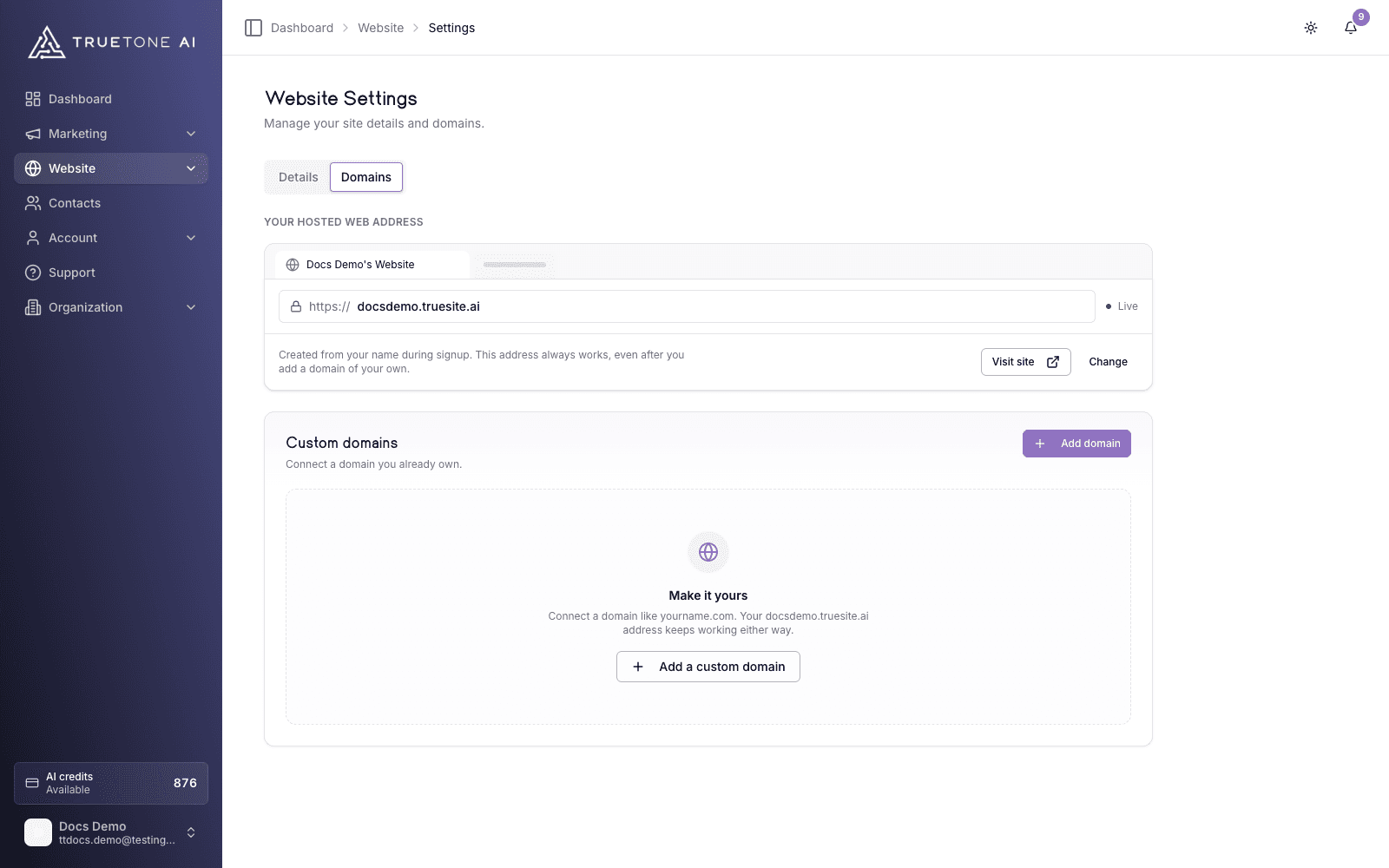
Connect a domain you already own (like yourname.com) to your hosted website. Add one DNS record at your registrar, click Verify DNS, and your site goes live at your own branded address with SSL handled for you.
What it is
Your website ships with a built in web address the moment you sign up, and that address always keeps working. A custom domain lets you put your own name on the site instead. Once it is connected, both addresses point at the same website, and your custom domain becomes the primary address you hand out to clients.
Connecting a domain is a two part handshake. First you add the domain in TrueTone, which registers it against your site. Then you add a single DNS record at whatever company you bought the domain from, so the internet knows to send visitors to your site. When both sides agree, TrueTone marks the domain Connected and issues an SSL certificate automatically, so the address loads over https with the padlock.
You manage all of this in Website settings, on the Domains tab. The Domains link in the dashboard takes you straight there. You can connect a domain, watch its status, verify it, and remove it, all from one screen.
Who it is for
Any loan officer who owns a domain and wants their site to live there instead of on the default address. It is the step that turns a working website into a branded one. Sales, marketing, and product teams reference this page to explain exactly what a custom domain does, what the customer has to do at their registrar, and what TrueTone handles on its own.
How to connect a domain
Open the Domains tab
In the dashboard, go to Website settings and open the Domains tab. You will see your default address at the top and a Custom Domain section below it.
Add your domain
Click Add Domain, type your domain, and submit. Enter it plainly, with no http://, no www, and no trailing slash. TrueTone cleans up the input for you, so yourname.com is the right shape. The domain lands in a pending state, waiting on DNS.
Add one DNS record at your registrar
Sign in wherever you bought the domain (GoDaddy, Namecheap, Cloudflare, and so on) and add a single record. Which record depends on whether you are connecting a root domain or a subdomain; see the next section for the exact values. The Domains tab also lists the DNS records with copy buttons, and links out to step by step guides for the common registrars.
Verify the domain
Back in TrueTone, click Verify DNS on the domain. TrueTone checks that the domain actually points at us and confirms the connection. If DNS has not propagated yet, verification stays pending and you can try again shortly.
Wait for SSL, then you are live
Once verified, TrueTone provisions the SSL certificate. The domain shows Connected, the badge moves from SSL provisioning to SSL active, and your site is live at your own address.
Which DNS record do I add
Verification accepts either setup. You add only the one record that matches your domain, not both.
Root domain
Use this for a bare, top level domain such as yourname.com. Add an A record that points the root at us.
| Field | Value |
|---|---|
| Type | A |
| Name / Host | @ |
| Value | 76.76.21.21 |
Some registrars (Cloudflare, for one) flatten a root level CNAME instead of using an A record. That setup also verifies, because it still resolves the root to us.
The Domains tab shows the DNS records with one click copy, and it is the authoritative source. If a value on this page ever differs from what your dashboard shows, trust the dashboard.
Good to know
DNS changes are not instant. They can take up to 48 hours to spread across the internet, though it is often much faster. If Verify DNS does not succeed on the first try, wait a moment and click it again. There is a short cooldown between verification attempts, and the button tells you when you can retry.
A few honest limits worth knowing:
- Both addresses stay live. Your default address keeps working after you connect a custom domain; the custom domain simply becomes the primary one you share.
- SSL is automatic. You do not upload or manage certificates. TrueTone issues and renews SSL once the domain verifies.
- A domain connects to one site. If a domain is already connected to another website, you have to remove it there first before it can be added here.
- Publishing is instant. Your website has no draft layer, so anything you publish is live right away on every connected address.
Removing a custom domain takes effect immediately: the address stops serving your site and its SSL certificate is revoked. Your default address is unaffected and keeps working. To reconnect later, add the domain again and wait for SSL to reprovision.
Enterprise: an organization admin with an enterprise license can connect and manage custom domains for the company owned sites in their organization, not just their own. The DNS steps are identical.