Your first week
This is the fast lane: create your account, spend a few minutes on the Tru interview so your content sounds like you, then turn a topic into a finished piece and send it out the door. You can be publishing your first draft the same day you sign up.
What this is
A short, friendly walkthrough of the first things a new loan officer does in the TrueTone System. It skips the deep dives and just gets you from an empty account to one published, scheduled, or exported piece of content. Every step links to a fuller guide if you want more detail.
The whole idea of TrueTone is to remove the blank page. You capture your voice once, start from a curated topic instead of a cursor, and let the System draft in your voice so you are editing rather than staring. Your first week is where that loop clicks into place.
Who it is for
A brand-new loan officer setting up an individual account, or a loan officer who was just given a seat inside an enterprise organization. If you are joining an organization, your admin has already set up the account and your company branding, so a couple of these steps are done for you. Those differences are called out as you go.
The shortest path
Create your account and sign in
Sign up with your work email and a password, then confirm your email before your account goes live. (One-time email sign-in links and Google sign-in are on the way, but email and password is the way in today.) If your organization invited you, use the same email address the invite was sent to so your seat connects to the right account.
Finish the quick setup
A short guided setup collects the essentials: your contact and professional details, and your company and branding. It takes only a few minutes, and most fields are ones you already know by heart. On an individual account you will also choose a plan at the end. See plans and pricing if you want to compare options first.
Do the Tru interview
This is the step that makes everything after it sound like you. Tru, the onboarding interviewer, runs a short voice interview: two to five minutes of talking. You can pause, restart, and re-record until it feels right. There is no live scoring on the screen while you talk. Your analysis is delivered after the session, and from it the System builds your TrueTone Profile, the captured read of your tone and style that every draft is measured against. Tru only runs the interview. Tru never writes your content.
Pick a topic to start from
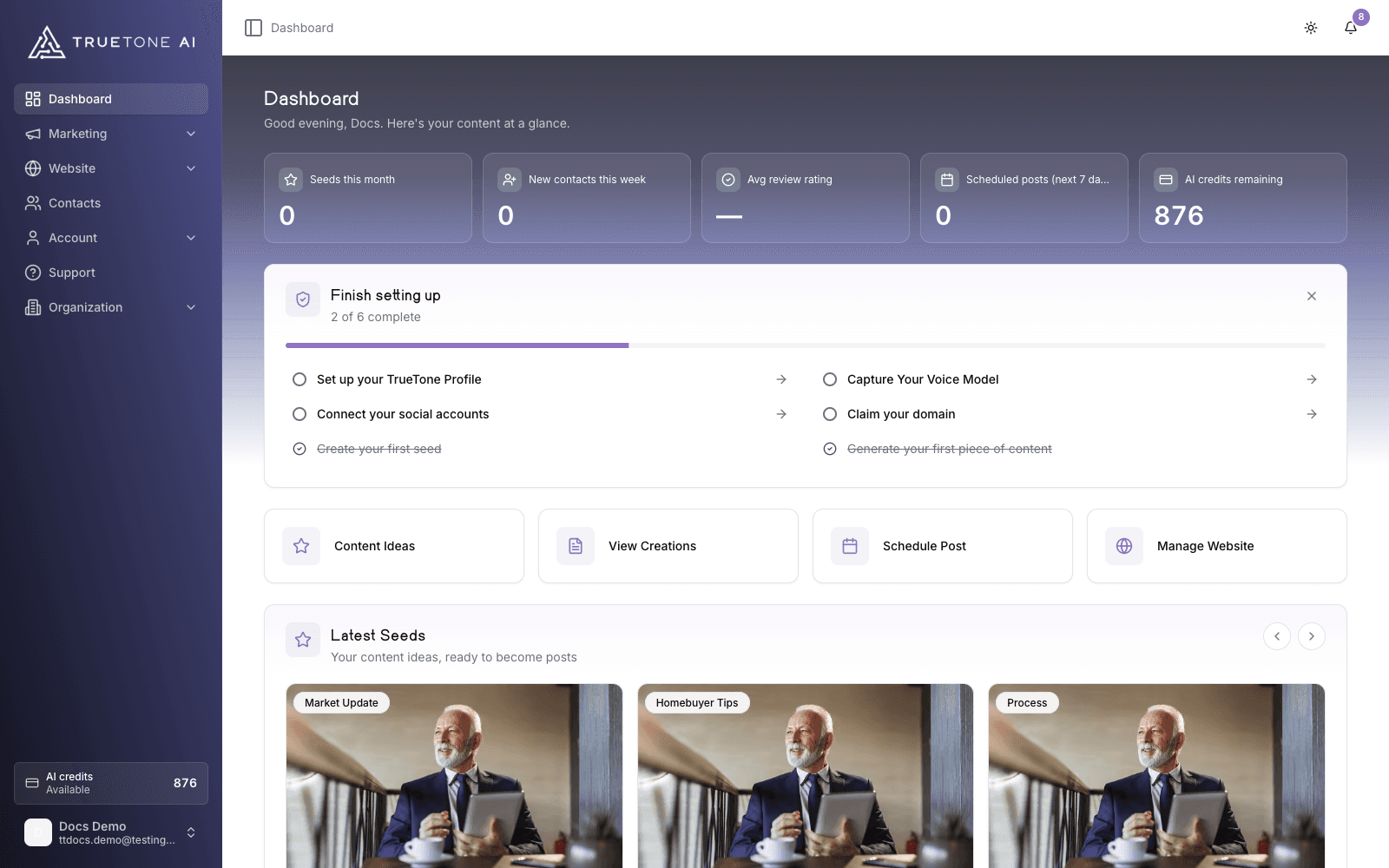
Head to your dashboard. The first time you land there on a desktop-size screen, a short guided tour spotlights the main areas so you know your way around. You can skip it at any step and replay it later from your account menu under Show me around. Once you are oriented, the content pipeline shows seeds, curated topic ideas ready to turn into content, so you never begin from a blank box. Pick one that fits your business. Prefer your own angle? Use Create Your Own to save your idea as a seed and start from that instead.
Generate your first creation
Open the seed and choose a Channel: Blog, Email, Social, Video, or Audiogram. Generate, and the draft comes back written in your voice, not a generic template. Open it in your library of creations and edit until it is exactly right. The draft is a strong starting point, and you stay the editor.
Publish, schedule, or export
Where a finished piece goes depends on its Channel:
- A blog post publishes straight to your hosted website.
- A social post, video, or audiogram can go to the Scheduler to post at a time you choose.
- An email is export only. You copy or download it and send it from your own email tool.
Your website has no draft layer, so publishing a blog post makes it live on your public site right away. Read the draft once more before you hit publish, because “publish” means “go live now.”
After your first piece: the rest of your week
You have done the hard part. From here, the dashboard shows a setup checklist that tracks six milestones, and if you followed the steps above you have already ticked three of them: your TrueTone Profile, your first seed, and your first creation. What is left:
- Capture your voice model if you want audiograms, which write their own scripts and need a voice before they can generate.
- Connect your social accounts so posts can go out on schedule and the System can study your recent posts to sharpen your voice. This is optional and can wait.
- Claim your domain so the blog posts you publish have a home on your public site.
None of these block you from creating. Do the ones that matter to you, and dismiss the checklist whenever you are done with it.
Good to know
Generating a creation spends credits from your allowance. You can create as much as your allowance covers, and the System tells you plainly if you reach a limit and what to do next.
Joining an enterprise organization? Your admin already set up the account and your company branding, so you will not see a company setup step or a plan choice during onboarding. Your admin also shares seeds (topics) with your team, but you still write every post yourself, in your own voice.
A couple of Channel notes worth knowing on day one: Social gives you one caption that works on every platform, with no per-platform rewriting. Video gives you voice-aligned prose with a built-in teleprompter, not a scene-by-scene template. And the Scheduler publishes exactly what you approved. It does not rewrite captions.